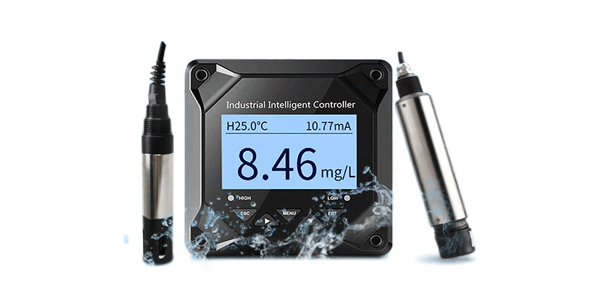
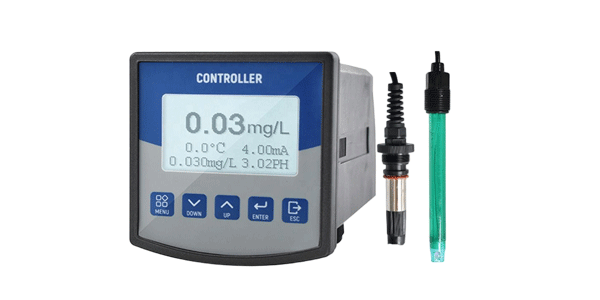
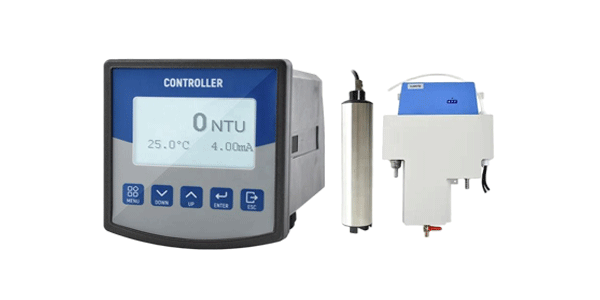
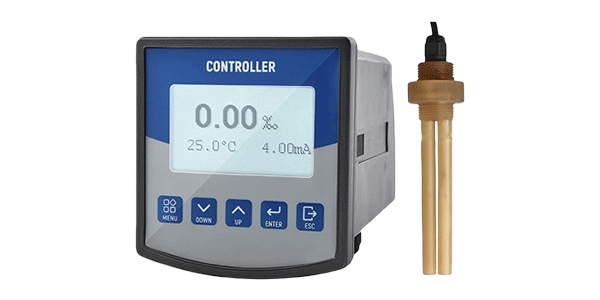
Erratic readings? Slow stabilization? Calibration won't complete? Identify root causes in minutes. Practical fixes for optical & polarographic dissolved oxygen sensors.
In aquaculture, a slow or drifting DO reading can lead to undetected hypoxia or wasted aeration. In wastewater, calibration failure causes improper aeration control, violating discharge permits. This guide walks you through the three most common failure modes and provides step-by-step fixes.
Symptom: DO reading takes >90 seconds to stabilize after moving sensor from air to water (normal: 30–60s).
Symptom: DO value continuously changes up/down without process change, or slowly drifts over hours/days.
Symptom: Error message during air or zero calibration; meter cannot reach expected value (e.g., 100% saturation).
| Problem | Polarographic (Clark) | Optical (Fluorescence) |
|---|---|---|
| Slow response | Membrane fouling, low electrolyte, old membrane → replace membrane & electrolyte | Dirty or scratched optical cap → clean with soft cloth; replace cap if scratched |
| Drifting reading (short term) | Air bubbles under membrane, electrical noise → reinstall membrane, check cables | Moisture inside optical cap, temperature shock → dry cap, allow equilibration |
| Calibration fails (air) | Dry electrolyte, broken membrane, wrong pressure → refill electrolyte, replace membrane | Cap degraded, wrong calibration mode → replace cap (every 2-3 years) |
| Zero reading drifts above 0.3 mg/L | Electrolyte contamination or cathode poisoning → clean anode/cathode, fresh electrolyte | Sensor age >5 years or cap failure → replace optical cap or whole sensor |
Use mild detergent + soft brush for membrane/optical cap. Rinse with distilled water. Never use alcohol on membranes.
Drain old electrolyte, rinse chamber, fill fresh KCl solution. Removes drift due to contamination.
Ensure sensor is dry, no droplets. Use 100% humidity chamber or damp sponge for polarographic.
Compare temp reading with reference thermometer. Mismatch >1°C causes DO error; replace temp element.
Corrosion or bent pins → clean with contact cleaner, ensure tight connection.
If response remains slow after cleaning → install new membrane cap + electrolyte.
Calibration slope <80% or persistent drift → replace cap (cost-effective vs whole sensor).
Q1: My polarographic DO sensor is stuck at 0.00 mg/L. What to do?
A: Likely dead electrolyte or broken membrane. Replace membrane, fill fresh electrolyte, wait 1 hour, then recalibrate. If still zero, test with multimeter – internal cell may be dead.
Q2: Optical sensor reads fine but calibration slope is 60% – should I replace?
A: Yes. Most optical sensors require cap replacement when slope falls below 75–80%. Continuing to use will cause inaccurate low DO readings.
Q3: Can a damaged cable cause slow response?
A: Absolutely. Frayed cables introduce capacitance and noise, leading to erratic readings or slow stabilization. Inspect and replace damaged cables.
Q4: Why does my DO meter show correct reading in air but drifts in water?
A: Biofilm or contamination on the sensor tip reacts differently in water. Clean sensor thoroughly; if drift persists, replace membrane (polarographic) or clean optical cap with enzymatic cleaner.
Q5: How to differentiate between sensor failure and instrument failure?
A: Connect a known good test sensor (or simulator) to the meter. If meter works fine, your sensor is faulty. If problem remains, the meter/transmitter needs repair.
✔ Slow response? → Clean or replace membrane/optical cap.
✔ Drifting readings? → Check for bubbles, biofilm, or cable damage.
✔ Calibration failure? → Verify pressure settings, replace electrolyte (polarographic), or replace optical cap.
✔ Always start with visual inspection and cleaning before assuming sensor death.
Keep a spare membrane kit (polarographic) or an extra optical cap – it reduces critical downtime by 80%.
Compare traditional polarographic electrode vs optical fluorescence DO meters for long-term monitoring in aquaculture and wastewater. Maintenance, accuracy, lifespan, total cost of ownership.
Troubleshoot dissolved oxygen meter issues: slow response, erratic drift, calibration failure. Step-by-step diagnosis for optical and polarographic DO sensors. Field guide with quick fixes.
Extend dissolved oxygen probe lifespan with 5 proven tips: membrane replacement, electrolyte care, cleaning, storage, and handling. Optimize DO sensor performance for aquaculture and wastewater.
Rm. 1208, Building B, Huixin IBC, No. 1 Zhang Bayi Road, High-tech Zone, Xi'an, Shaanxi, China
Copyright © Xi'an Gavin Electronic Technology Co., Ltd Site Map